

Workstation HP Z220 CMT – i7-3770 – o afacere buna!
July 11, 2016
Workstation HP Z220 CMT – i7-3770 – a good deal!
July 11, 2016
 Last month, for 2000 RON, I bought a used computer HP Z220 CMT. Basically, it is equipped with an i7-3770 @ 3.4 Ghz, 8GB RAM and an nVidia Quadro 2000 video card.
Even if the processor is not exactly the latest generation, overall, I made a very good deal. First of all, we are talking about a workstation, i.e. a machine designed to work in a professional environment. This means that you can rely on such a tool day and night, and you can even let it work around the clock, if necessary. Such cases can frequently occur in video editing, when the final rendering of an event of several hours can last as long as the event itself, during which the computer is at 100%. Also, being a branded PC it is as quiet as can be. (especially after I got rid of my nVidia Quadro 2000)
What’s more, connectivity is also good, it has PCI-E 3.0 on the main 16x slot, USB 3.0 (including front ports) + SATA 3 with RAID support.

Intel C216?
The motherboard chipset is Intel C216 – equivalent to an Intel Z77 for “normal” motherboards. Being socket 1155, it does not support DDR4 – but in compensation it supports the PCI-E 3.0 standard. As I am fond of older operating systems, I also particularly appreciate the presence of classic PCI slots, on which I have already installed a 3dfx VooDoo 3 per PCI slot. Even though the system is from HP, the UEFI firmware also offers legacy support, including booting from PCI video cards. The C216 comes with native PCI support, so it shouldn’t be a problem if I want to play around with older operating systems like Windows 98. (and I definitely will)

Is 8GB enough?
Basically yes. At least for games, there will be almost no difference if we add another 8GB. Most games are optimized to run on medium configurations. From what I’ve tested, I’ve seen that in last-generation games the degree of loading is somewhere around 5-6GB of RAM memory. However, I added 2 more 4GB modules to it, and now it runs in a 4×4 configuration, 16gb in total.
And yet, the 3rd generation? Isn’t it outdated compared to an i7-6700?
When you say the processor is 3 generations back, you would expect it to be a considerable difference, but that is not the case these days. Intel abuses the lack of competition and does not push the pedal too hard from one generation to another. So the i7-6700 @ 3.4 benchmarks about 2% (two percent) performance over the older i7-3770!

nVidia Quadro 2000
Well, if the processor is really good in terms of performance, to say that it is practically identical to its equivalent from the newer generation 6, the same cannot be said about the video card nVidia Quadro 2000. This is the equivalent of a GeForce GTS 450 has DDR5 memory and 192 shaders, and the bus is 128 bit. I replaced it with a GeForce GTX 960 from ASUS , which has a performance of + 388%!

Windows 10 activated?
Yes, no problem. I used the Windows 7 cd key to activate Windows 10 PRO and everything went right from the start and without any problems.
 Categorie: Reviews
Comentarii
Avem 6 comentarii la articolul “Workstation HP Z220 CMT – i7-3770 – o afacere buna!”
Nelamuriri? Intrebari?
Intreaba sau cauta raspunsul la sectiunea de intrebari si raspunsuri.
What's new...?
- Windows vechi, SSD nou? Cum mutăm instalarea? Clonăm sau copiem? (…că merge și așa)
- Să instalăm o placă 3dfx Voodoo2 pe un sistem AM5 și Windows 11? Nimic mai complicat…
- Un SSD M.2 NVMe pe un Pentium II?
- Windows 11 pe o placă de bază Intel i865 cu DDR1 si AGP 8X?
- Ce se întâmplă dacă montăm o placă GTX/RTX într-un slot PCI din anii ’90?
- Windows Longhorn build 4074 și Vista pe hardware modern?
- Windows NT 4.0 primește suport NVMe în 2025
- Driver NVMe pentru Windows 98?
- Cum să rulezi Windows 98 de pe un USB 4 ultra-rapid
- Cum ar fi să instalăm o placă grafică PCI veche într-un computer de ultimă generație?
- Windows 98 la maxim: cum să instalăm cele mai performante plăci video PCI-Express compatibile – NVIDIA seria 7000
- Half-Life 2 pe Windows 98: Încă merge, dar cum?
- Cum să bootăm de pe un Voodoo 3 PCI pe un PC modern în Windows 9x (în timp ce avem o placă PCI-E in slotul 16X)
- Cum facem să avem USB funcțional în Windows 98, 2000, XP pe plăci de bază moderne?
- Acum se poate! Windows 98 / ME pe ultima generație de procesoare Intel și AMD!
- DOOM for Windows – un software pe 32bit compatibil cu Windows 3.11 dar și Windows 11! *fara niciun fel de modificări
- My computer in octombrie 2000
- Windows 3.11 pe Ryzen 3900X [youtube video]
- DiskWrite
- Windows NT 3.1, primul sistem de operare pe 32bit, ruleaza si pe hardware nou
- Windows Vista pe hardware modern? Desigur!
- Oh la la! Windows NT 3.51 pe hardware nou! Nu credeam ca se poate.
- Cum instalam Windows 98SE pe un PC modern
- 2020 – Hardware compatibil cu Windows 9x care poate fi cumpărat de nou
- Valorant – sau ce se întâmplă dacă mixăm League of Legends, Counter-Strike și Fortnite
 Da, Windows 98 se poate instala si pe PC-urile de ultima generatie, direct pe un SSD ultra rapid. Nu conteaza ca avem multe core-uri, DDR4, PCI-Express s.a.m.d. Daca avem și placa video compatibila (ceva mai veche, fireste) avem parte si de rezolutie full hd. Cum facem? Gasiti aici documentatia completa, grupata pe episoade. Citeste »
Software:
Da, Windows 98 se poate instala si pe PC-urile de ultima generatie, direct pe un SSD ultra rapid. Nu conteaza ca avem multe core-uri, DDR4, PCI-Express s.a.m.d. Daca avem și placa video compatibila (ceva mai veche, fireste) avem parte si de rezolutie full hd. Cum facem? Gasiti aici documentatia completa, grupata pe episoade. Citeste »
Software:
- Windows 98 – episodul partiția și formatarea
- Windows 98 – episodul cu instalarea
- Windows 98 – episodul cu prea multa memorie RAM
- Benchmark i7-3770 3.4Ghz vs Pentium II
- Windows 98 – episodul cu UEFI și CSM-ul
- Windows 98 – episodul cu SSD-ul
- Windows 98 – episodul cu placa video.
- Windows 98 în Full HD – episodul cu monitorul
- Windows 98 – episodul cu mouse-ul
- Windows 98 – episodul cu USB-urile
- Windows 98 – episodul cu procesorul și memoria de ultimă generație
- Windows 98 – episodul cu placa de sunet
- Windows 98 – episodul cu placa de rețea și Internetul
 Magic Lantern: superputeri pentru DSLR-urile CANON
Magic Lantern este un program compatibil cu anumite DSLR-uri CANON (decât!), se instaleaza pe cardul de memorie si ofera functii avansate, precum posibilitatea de a filma RAW, la fel ca si camerele profesionale. Un aspect important (si incurajator) este ca acest soft nu modifica nici un bit din firmware-ul camerei. Daca scoatem sau formatam cardul de memorie, e ca si cum Magic Lantern n-a interactionat niciodata cu camera. Desi producatorii o tin sus si tare ca nu ofera nici cea mai... [Citeste] »
 Quake II RTX
Quake II (de la iD software) lansat in 1997 este un FPS de referință in istoria gamingului. Pe lângă numeroasele premii si fan club-uri active si in prezent, cea mai buna dovada este că jocul a fost re-engineered dupa 22 de ani și acum beneficiază de suport RTX. Pe moment, nu stiu niciun un alt joc care sa fi primit aceasta șansă, dar este posibil sa vedem pe viitor si alte remake-uri. Un Half-Life RTX ar fi ceva extraordinar. Engineul din Quake II (extra modificat) a stat la baza Half-Life.... [Citeste] »
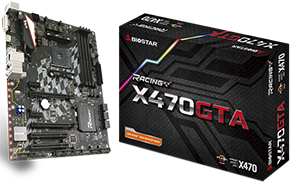 Biostar X470GTA placa de baza AM4 cu sloturi PCI clasice
« 1 2 | Vezi toate paginile» An AM4 high end motherboard with 2 classic PCI slots? Yes, it is possible, and it is codenamed: Biostar X470GTA. Biostar brand is more associated with low end boards, generally very cheap ones. If in the past you bought a computer from a retailer like Altex, you may have come across a Biostar board. Otherwise, Biostar is a company with a tradition – founded in 1986 – and when it comes to motherboards, they also have advanced models at good prices.... [Citeste] »
 Placa video de 1MB?
Back in 1996 – sau ce se mai poate face cu o placa video de 1MB? Avem un sistem nou motorizat de un procesor Intel Dual Core @3Ghz, o placa de bază cu chipset Intel P35, 2GB RAM DDR2 ce rulează la 1000Mhz, dar nu avem placă video… Soluţia de moment e să apelăm la placa video de la calculator mai vechi pe care nu ne-am indurat să-l aruncăm la gunoi. Ei, şi ce găsim? ... [Citeste] »


Ai idee daca merge cu memorii normale sau de server? Vreau sa-mi iau si eu unul daca pot sa fac upgrade la 32GB, am deja 4 module de 8GB RAM de server dar nu se potrivesc la mine am tot i7-3770 pe placa asta de baza: https://www.gigabyte.com/Motherboard/GA-Z68X-UD3H-B3-rev-10#ov Apropo, am luat de pe OLX cu 50 de lei bucata pt 8GB. 😀
Depinde de procesor. Daca iei varianta tot cu procesor i7 nu o să se schimbe nimic, controlerul pentru memorii e în procesor! Soluția e să iei un Z220 cu procesor Xeon. Am văzut că au apărut Z220 refurbished la magazinele de profil iar diferența de preț între i7 si Xeon e neglijabilă.
Cred ca mi s-a dus sunetul la aceasta unitate, ma puteti ajuta? Pur si simplu nu se mai aude.
Dacă s-a dus sunetul pe bune, în ideea că s-a ars placa de sunet on board, atunci trebuie să cumperi fie o placa de sunet interna sau una externa pe USB, cele mai simple soluții costa aproximativ 50 de lei fiecare. Este puțin probabil să se fi ars placa de de sunet, dar nu imposibil. Mai intai dezinstaleaza driverul curent din Control Panel. Daca ai Windows 10, placa de sunet ar trebui sa se reinstaleze automat. Vezi sa nu fi trecut ca ieșire principala de sunet portul HDMI de pe placa video. Apasa tasta start si scrie: „manage output devices”. In ultima instanta, instaleaza driverele pentru Windows 8, foloseste aceasta cautare pe google; Realtek High-Definition Audio Driver for Microsoft Windows 7 and Windows 8 64-bit system software Manager/
Ati avut dreptate, era iesirea HDMI de vina. Multumesc!
[…] cum se comportă procesoarele din 1998 unde vârf de gamă este un Pentium II 450 vs un i7-3770 Ivy Bridge – model lansat în […]